Wednesday, February 25, 2009

Running multiple versions of Internet Explorer

IE sucks – that’s an indisputable fact. And all the different versions of IE suck in different ways. Therefore you need to test your web app not in only one bad IE, but in multiple ones. And to make the life of web developers even harder, Microsoft doesn’t provide a way to install multiple versions of IE on the same Windows box.

Of course, Microsoft would like you to think, that to run IE is central piece of Windows kernel and the only way to have multiple versions of it is to have multiple Windows installations... of course with all the required licenses. This is good for Microsoft, but similarly to all things that are good for Microsoft, it’s not good for you.

Luckily at least IE6 and below are available as stand-alone versions. Of course not from Microsoft, but from Evolt.org browser archive. And to make the process of installation as easy as possible, there exists a special installer from Tredosoft that allows you to install IE3, IE4.01, IE5, IE5.5 and IE6 with just a few clicks. It’s not maintained any more, but it works just fine.

Not even a restart required...

Sunday, February 8, 2009

FUD Over JavaScript and GPL

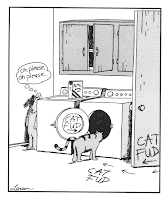
Far Side comics about CAT FUD Recently I published a tiny JavaScript library jintervals for doing formatting of time intervals. At first I published it under GPL license, thinking this is the rightest thing to do. After all, the Free Software Foundation itself suggests that you do.

But then some said, that using GPL for my library is far too restrictive, and by doing so I would ban all the potential commercial uses of my library.

This can’t be true, I thought. But then I did some research and decided to change my license to LGPL. Not because I was wrong, but because too many other people were wrong.

The Misinterpretation of GPL

GPL v3 logo Everybody knows that GPL is viral. But what most people doesn’t know, is how infective it exactly is.

It's the same with real world viruses. Most people are afraid of coming to contact with person who has HIV, although you won’t get infected by just touching. But the fear, uncertainty and doubt are all there, saying, that you better stay away.

Similarly many people are afraid of using GPL-ed components when building their website. They think that then they have to release all the code of their website also under GPL.

They are totally wrong, because all free software licenses allow you to use and modify the program how ever you may please. These are the freedoms 0 and 1:

The freedom to run the program, for any purpose (freedom 0).

The freedom to study how the program works, and adapt it to your needs (freedom 1). Access to the source code is a precondition for this.

GPL will only concern you, when you want to distribute your software. And running a website powered by GPL-licensed software is not distributing. There is even a FAQ about this on GNU homepage:

A company is running a modified version of a GPL'ed program on a web site. Does the GPL say they must release their modified sources?

The GPL permits anyone to make a modified version and use it without ever distributing it to others. What this company is doing is a special case of that. Therefore, the company does not have to release the modified sources.

And contrary to what most people think, GPL is not the most restrictive free software license. If you want a really restrictive license, then you should choose GNU Affero GPL – running a website powered by AGPL-ed software, does require that you publish all your sources. The same GNU FAQ goes on to suggest using AGPL:

It is essential for people to have the freedom to make modifications and use them privately, without ever publishing those modifications. However, putting the program on a server machine for the public to talk to is hardly “private” use, so it would be legitimate to require release of the source code in that special case. Developers who wish to address this might want to use the GNU Affero GPL for programs designed for network server use.

Most people haven’t even heard of AGPL, they only know about GPL. And because GPL is the only viral license they know about, they think, that it must be the most infectious thing on the planet.

Ext JS GPL Controversy

Ext JS logo Some time ago the licensing of Ext JS framework was changed to GPL and a whole hell broke loose. Hundreds of users wrote to a fairly long Ext forum thread, seeking answers to their questions about the new licensing model.

Ext JS licensing has been a mess. Previously Ext JS was seemingly licensed under LGPL, but with several extra restrictions:

Ext is also licensed under the terms of the Open Source LGPL 3.0 license. You may use our open source license if you:

  • Want to use Ext in an open source project that precludes using non-open source software

  • Plan to use Ext in a personal, educational or non-profit manner

  • Are using Ext in a commercial application that is not a software development library or toolkit, you will meet LGPL requirements and you do not wish to support the project

Many users were unhappy about it, claiming either, that Ext JS is not free software at all, or that because of some clauses in LGPL, users are allowed to freely remove the extra clauses added to LGPL.

Anyway, most people were quite happy, because they knew that LGPL is a light version of GPL and therefore harmless.

Then came the license change, people saw the terrible viral GPL and went completely nuts. They were wondering, do they have to publish all the source code of the web site they were using GPL-ed Ext JS on, or do they have to buy a commercial license for that?

Given that most people aren’t experts in GPL, this was completely normal. But it wasn’t normal that the authors of Ext JS didn't gave any clear answer to these questions. They pointed people to the Licensing FAQ, which for some reason doesn't provide answer to the real most frequently asked question: Can I use the GPL licensed Ext JS on my website without publishing all the source code of my site?

This kind of attitude received huge amounts of criticism from the community. Authors of Ext JS were blamed to be stupid and greedy.

The license change from false-LGPL to true GPL was certainly step in the right direction, but it was presented to the community with a great dose of FUD. Not a nice thing to spread Jack, not a nice thing to spread...

Is GPL Worth the Trouble?

Ext JS isn’t the only JavaScript library licensed under GPL, there are more, and none of those seems to suffer under similar issues that Ext JS is. The reason? Honesty. Just look at how GPL-licensed jQZoom Evolution describes itself (emphasis added):

jQZoom Evolution is a new release of jQZoom with full featured. It is a javascript image magnifier built at the top of the popular jQuery javascript framework. jQzoom Evolution is a great and a really easy to use script to magnify what you want. It is easy to customize and it works on all modern browsers. This software is licensed under GPL. You can have your jQZoom in your website, eCommerce sites or whatever you want.

However most JavaScript libraries prefer more permissive LGPL, MIT and BSD licenses. And for a very good reason – no damn confusion whatsoever.

And this is the reason, why my jintervals library is also licensed under LGPL – to avoid needless confusion.

Thursday, February 5, 2009

Finding Synergy Between Emacs and SFTP

I needed a solution to edit files over SFTP connection. In Linux I could have just used SSHFS on top of FUSE, but I was stuck in Windows.

SftpDrive

I was suggested to use proprietary software called SftpDrive. And not just proprietary, but a shareware with trial period of six weeks. I agreed, thinking, that I won't be needing it for any longer.

But the program didn't fulfill my expectations. It failed to cooperate with my text editor, making Emacs complain all the time that the file I'm editing has been changed on disk. The reason seemed to be, that changes to the file attributes (particularly the modification time) aren't immediately available to emacs after saving the file (as explained in this Q&A site).

Dokan

From the same site I found a suggestion to use Dokan SSHFS instead. It appears that Dokan is a library similar to FUSE in linux. And Dokan SSHFS similarly sits on top of that.

At first I got a bit puzzled over the Licensing of Dokan, because although Dokan project page in Google Code says it's licensed under LGPL, the installer displayed me the following message:

WARNING: This computer program is protected by copyright law and international treaties. Unauthorized duplication or distribution of this program, or any portion of it, may result in severe civil or criminal penalties, and will be prosecuted to the maximum extent possible under the law.

Later I found out that this installer message had been automatically generated by Microsoft Visual Studio. How nice of Microsoft to have a happy little default licensing scheme.

Dokan SSHFS isn't as easy to install as SftpDrive – I had to download and install three different software packages to make it work. But it is free software. And it seems to do everything SftpDrive does. Plus achieving synergy with my Emacs.

Windows likes proprietary

I'm starting to wonder, why the proprietary alternative had been suggested to me at the first place?

But then... How could I have expected a free software suggestion from a Windows user?

Sunday, February 1, 2009

Getting Rid of the Caps Lock Key

Photo of caps lock key physically removed from keyboard

The Caps Lock key is the most annoying key on your keyboard. It’s of no use whatsoever and it's always right at your fingertips, waiting for you to accidentally click on it. Therefore one of the greatest favors any computer user can do to himself, is to disable the Caps Lock key. All the major operating systems allow you to do it, even Windows...

Linux

Clearly the winner here, if you want to do it from command line:

$ xmodmap -e "remove lock = Caps_Lock"

Just type it in to try out and then place into your .bashrc file to make the setting permanent.

Mac

Although a real Mac user would find it more intuitive to drag the Caps Lock key to trashcan, this time they have to resort to simple list boxes:

Windows

And in Windows the same thing is done in the typical Windows way.

You modify the registry and restart your computer.

Images: For the first image, the credit goes to dipurinku, and for the second thanks to Carla216.

Thursday, January 22, 2009

The Last Browser to Pass Acid2

Acid 2 test reference rendering combined with IE8 logo as its nose So, I installed beta 2 of IE8. And it indeed passes Acid2 test... at least when you don’t press the Compatibility Mode button.

But I shouldn’t share this information with you, because the EULA of IE8 states:

You may not disclose the results of any benchmark tests of the software to any third party without Microsoft’s prior written approval;

But while I will be waiting for Microsoft troops break through my door, you can read on about the “innovations” in Internet Explorer 8.

X-UA-Compatible

IE8 comes with two layout engines: the old one from IE7, and the new one, able to pass Acid2.

Initially Microsoft decided, that by default all sites will be shown in IE7-mode, and only when the author of the page explicitly requests, then, and only then, will the page be displayed in IE8-mode. This thing had already happened once and was called the Doctype Switch, and it seemed that Microsoft was introducing yet another one. A huge noise broke out among the supporters of web standards. Nobody wanted another broken Doctype Switch.

Finally Microsoft took notice and reverted their decision. In IE8 beta 2 the default is IE8-mode. But when site relies on the quirks of previous IE versions, then it can send the following HTTP header:

X-UA-Compatible: IE=EmulateIE7

Additionally IE8 has a special button right next to address bar to switch IE7 compatibility mode on and off – a nice little interface clutter, just because of being IE.

Some sites have already started to use the X-UA-Compatible header. Most notably microsoft.com and the IE Blog – which shows how “ready” Microsoft itself is for their own IE8.

The Sloppy Copy Principle

The photocopiers of Redmond are famously known for their sloppiness. Whenever Microsoft copies another software product it first makes a blatant copy without thinking much and then introduces his own improvements, which usually make it even worse.

Classical example is the copying of Mac OS user interface. Mac has the menu bar of each application displayed at the top of the screen, and for a very good reason – because of Fitts’ law it is easier to reach with a mouse this way. But Microsoft saw just another opportunity to “innovate” and placed the menu right below title bar, making it as hard to reach as possible.

In IE8 we see this sloppy-copy-principle applied again and again.

Some Tabs

Before IE7 came along, IE was the only browser without tabbed browsing. All they had to do, was just to copy the damned thing. But Microsoft wanted to “innovate”. Other browsers had the tab bar running from one edge of the browser window to another – to make room for as many tabs as possible (and it’s still getting pretty tight, if you have more than ten tabs open). Somehow Microsoft didn’t get it and combined menu bar with tab bar:

Comparison of maximum amount of tabs in IE 8, Firefox 3 and Opera 9

On a standard 1024 x 768 display IE8 can display only 8 tabs (before they start to scroll out of view). Firefox manages to show 10, and both Opera and Chrome can show unlimited number of tabs – they just shrink smaller and smaller. One could say that IE is only two tabs behind Firefox, but this doesn’t take into account that these 10 Firefox tabs are a lot more readable than those 8 IE tabs.

IE8 also features grouping of tabs. But what do you group, if you only have 8 tabs?

Incrementally Jumping Search

IE8 also features a search bar, that appears when you press Ctrl+F. Again something that was easy to copy from all other browsers, that already had it. In Firefox the search bar appears at the bottom of the page, so that the web page can stay unmoved. In Opera it appears at the bottom left corner and the page doesn’t move. In Chrome it appears at the top right corner and the page doesn’t move. But Microsoft wanted to “innovate” – they placed it at the top and made the page move downwards when it appears.

Nasty search bar in IE8

Doesn’t everybody like when the whole page jumps up and down?

Browse Privately With Microsoft

This is a great feature. Turn on InPrivate Browsing and no-one will find out which pages you are visiting... except some guys in Redmond, as every URL you visit gets first sent to Microsoft to check that it’s secure enough for you to see it.

Few days after installing IE8 I got a critical security update:

This security update resolves a publicly disclosed vulnerability. The vulnerability could allow remote code execution if a user views a specially crafted Web page using Internet Explorer. Users whose accounts are configured to have fewer user rights on the system could be less impacted than users who operate with administrative user rights.

You really trust Microsoft in matters like security and privacy?

Still Behind

There are many other similar “innovations” whose alone purpose is to hide the painful fact, that IE8 is just a catch-up release, an attempt to not fall too far behind modern browsers that are all busy implementing CSS3, HTML5 and other standards.

By the time IE8 goes public, it will be the only browser that doesn’t pass Acid3.

Tuesday, January 20, 2009

The Cool Wall of Program Names

While using Windows I have discovered, that I'm constantly surrounded with programs that have really uncool names. The main source of the bad names is Microsoft, but the softie isn't the only one to blame here – uncool names are a general tendency in Windows land.

To explain what I mean by cool and uncool names, and in the spirit of the Cool Wall of Top Gear, I'm going to put up the Cool Wall of Program Names.

Seriously Uncool

  • Avira Antivir Personal
  • Microsoft Office Powerpoint Viewer
  • Microsoft Visual FoxPro
  • Windows Internet Explorer
  • Windows Live Messenger

First of all, all these names are really long – at least three words in each.

Secondly, they contain buzzwords like “Visual”, “Office” and “Live”, which don't add any meaning whatsoever. Was an earlier version of FoxPro “Microsoft FoxPro for Vision-Impaired”? And was the previous version of Messenger “Windows Dead Messenger”? And is there a PowerPoint that is not for office? These are pure marketing buzzwords, nothing more.

Additionally all these names also have a company name inside them, which in itself is uncool, but this is already the topic of the next part of the wall.

Uncool

  • Command Prompt
  • Google Chrome
  • Microsoft Excel
  • Mozilla Firefox
  • Windows PowerShell

Uncool names usually have company name added to the actual program name. But this addition rarely adds any value. How many other Excels do you know of? How many other Firefoxes? At least I don't know of any. So why do we have Microsoft Excel and Mozilla Firefox instead of just Excel and Firefox? That's just uncool.

For extra credit to Microsoft – half of their program names begin with “Microsoft” and the other half with “Windows”, so you can not even sort them and expect to find all Microsoft programs grouped together.

Additionally there are uncool program names like “Command Prompt”, showing that the creator of them had absolutely no imagination.

Cool

  • Gimp
  • Opera
  • Notepad
  • Paint
  • Skype

Finally the cool ones. These are short. That's the main thing. No extra buzzwords, no company names. To quote the already overquoted Antoine de Saint Exupéry:

“Perfection is achieved, not when there is nothing more to add, but when there is nothing left to take away.”

Note that even Microsoft can come up with pretty cool program names. However primitive Notepad and Paint are as programs, their names are cool – no doubt.

In perfect world you would have most of the programs belonging to this group – this should be the norm. In Windows-reality the norm seems to be uncool names.

Sub Zero

  • bison
  • less
  • tac
  • wc
  • wine

So, finally the sub-zero zone. Initially I tried to compile the whole wall with program names found from my Windows XP box, but as hard as I searched, I couldn't find a single Windows program with a really sub-zero-cool name. So I had to seek help from good-old UNIX. Let's look at each of these really cool names in detail – they all deserve it.

bison is the free software alternative to yacc, which stands for Yet Another Compiler Compiler and is in itself already quite cool. yacc sounds similar to yak, to which bison is a close relative. Additionally yaks have been domesticated animals for a long time, but bisons have always been free (similarly the software bison is free, but yacc is proprietary).

less – the opposite of more. At least that's what the manual of less says. Actually less is a descender of even older UNIX program more. They both are pagers, but while in more you can only go through text in one direction, less allows you to scroll both up and down. Therefore less is better than more. This is hell-of-a-cool.

tac is cat in reverse. Cat is a simple program that takes a file and prints it to standard output. Actually it can take several files and concatenate them all. Tac does the same, put prints the lines in reverse order. Seriously cool.

wc stands for Word Count, but it also happens to stand for Water Closet. UNIX users send often stuff through pipes to wc. This program name is clearly sub-zero cool.

Wine Is Not an Emulator. A recursive acronym, a common theme in UNIX, which is already cool. And yes, although Wine acts as an emulator for Windows, it's not actually an emulator, but instead implements a compatibility layer for Windows apps. This name also works on second level. When you drink too much wine, you will get drunk. When you use Wine to run too many Windows applications, you're poisoning yourself with proprietary software. Again, seriously sub-zero cool.

If you don't agree with my Cool Wall, then your comments are always welcome. But please, don't use a chainsaw.

Disclaimer: This Cool Wall was about program names, not about the programs themselves. Clearly Mozilla Firefox as a program is a lot more cool than Notepad – it's just the name that kinda sucks.

Monday, January 19, 2009

Why Frank Hates Windows

Another day when I was doing a cleanup in my browsers bookmarks, I discovered an old bookmark to a site where Frank van Wensveen explains in a lengthy essey why he hates Windows. I barely remember bookmarking it, so it must have been many years ago.

But the truly great thing about this essey is, that unlike many others, this one has been kept up to date. So you don't have to think, "does this really hold any more in Vista?" As Frank van Wensveen explains – most of flaws in Windows stand the test of time.

Clearly a suggested reading: